
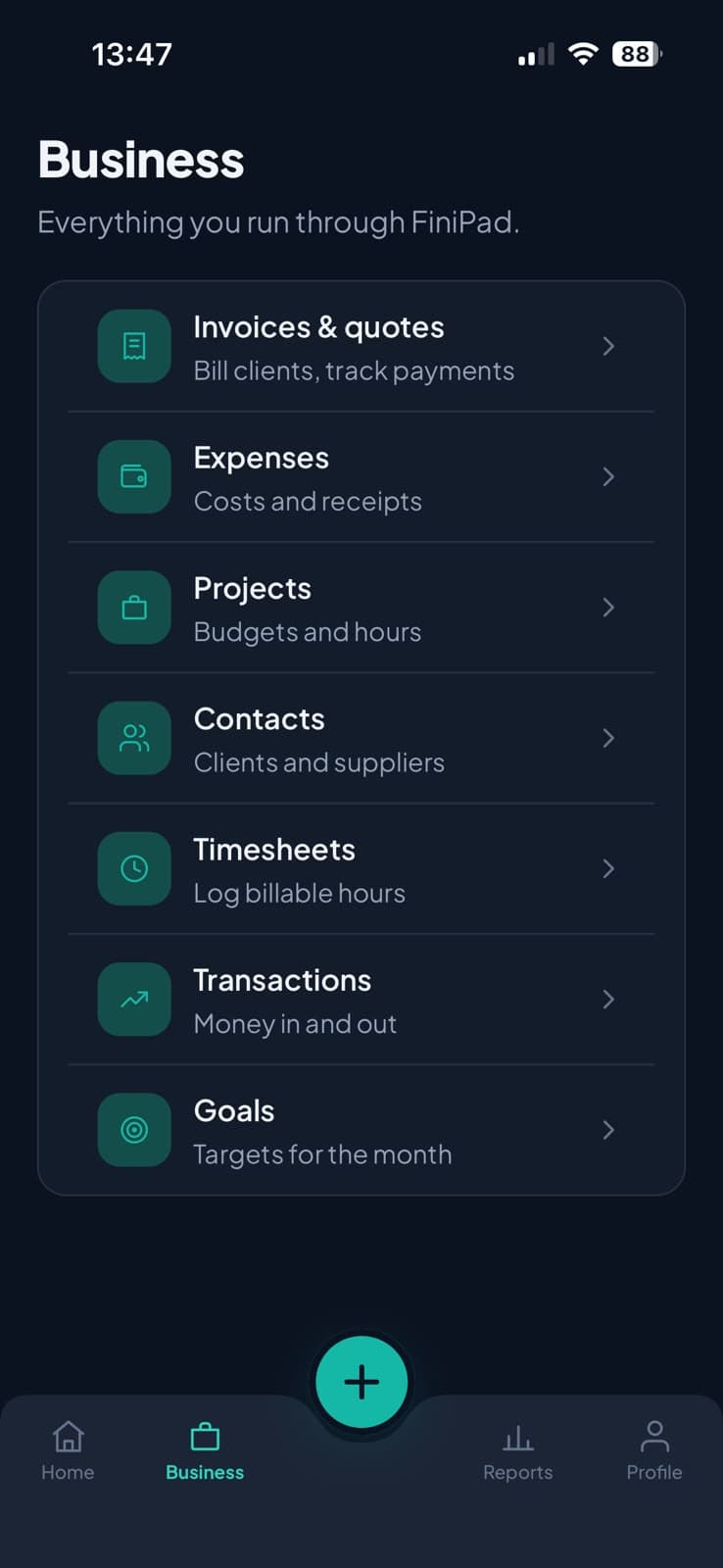
Invoices & quotes
Bill clients, send quotes, and track what's paid and what's overdue.
Send invoices and quotes, log expenses and hours, and know exactly where the month stands — all from one calm app.
Free to start · iOS & Android · No ads
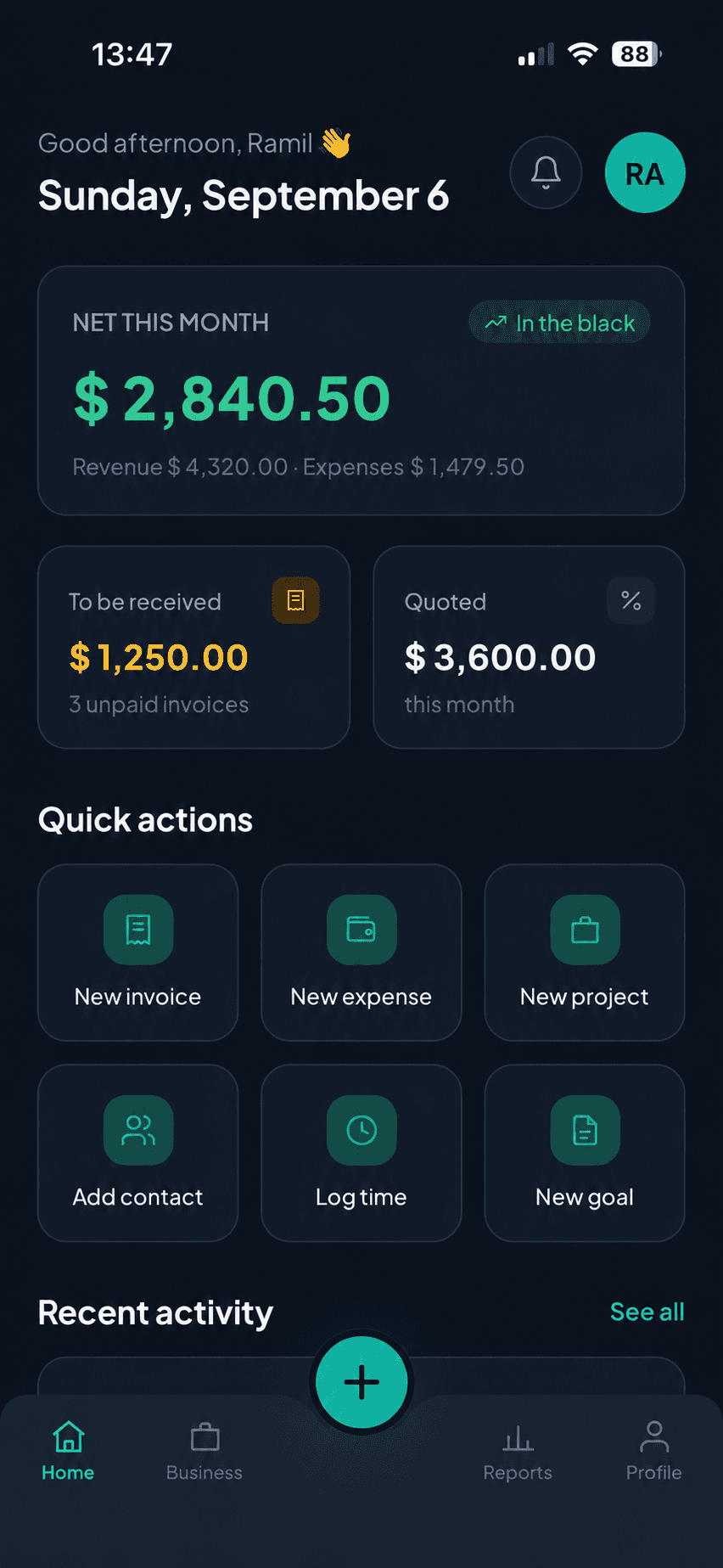
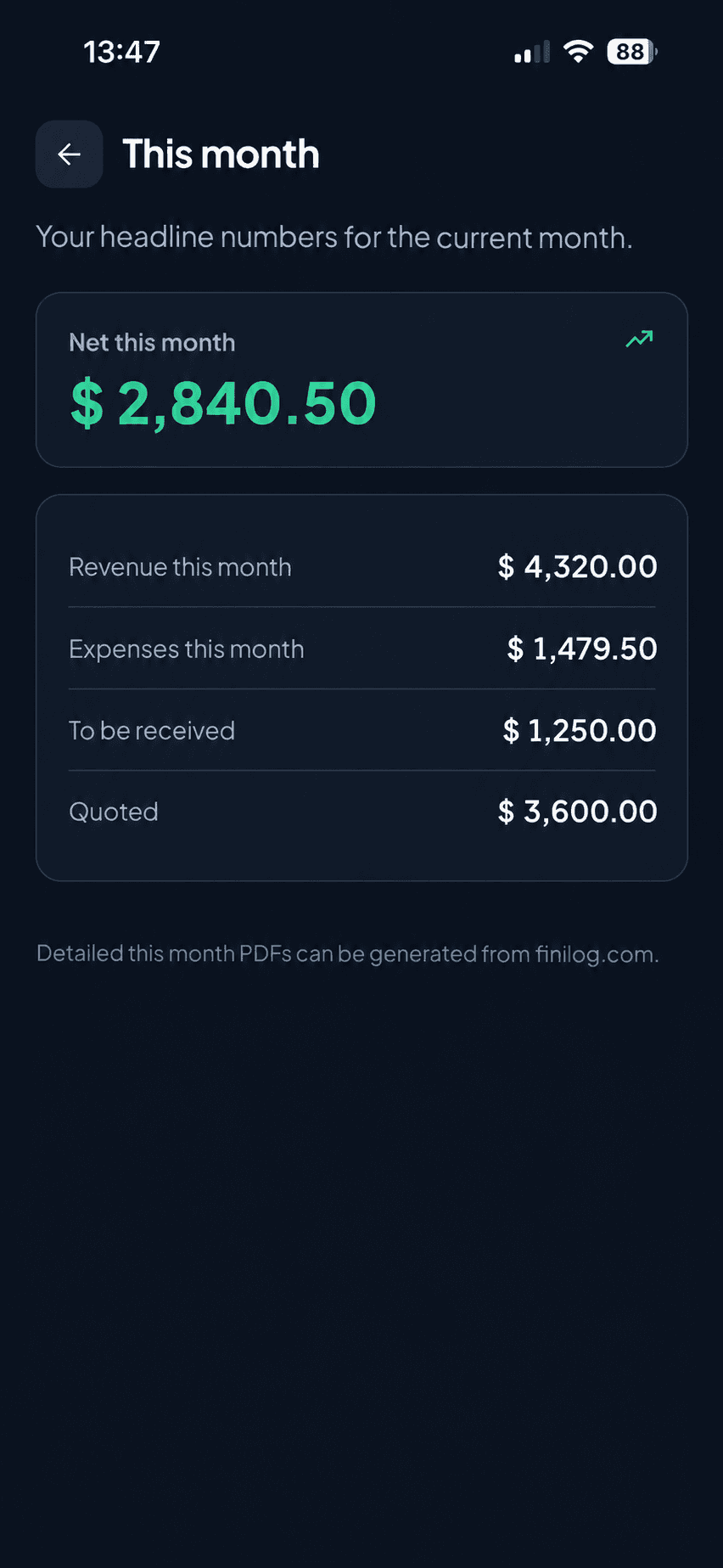
Net this month
In the black$ 0.00
Revenue $4,320.00 · Expenses $1,479.50
To be received
$1,250.00
3 unpaid invoices
Quoted
$3,600.00
this month
No bank linking
FiniPad never connects to your bank accounts. You enter what matters.
Your data is yours
Export any time. Delete your account in two taps.
No ads, ever
You're the customer, not the product.
Six languages
English, Español, Deutsch, Français, Türkçe, Русский.
Features
The parts of a finance stack a freelancer actually needs — and nothing you don't.
Bill clients, send quotes, and track what's paid and what's overdue.
Capture a cost in seconds and attach the receipt photo.
Set a budget and hours per project and watch the margin as you go.
Clients and suppliers in one address book, linked to their history.
Log billable hours and turn them straight into an invoice line.
Every bit of money in and out, categorised and searchable.
Set a revenue target for the month and track progress toward it.
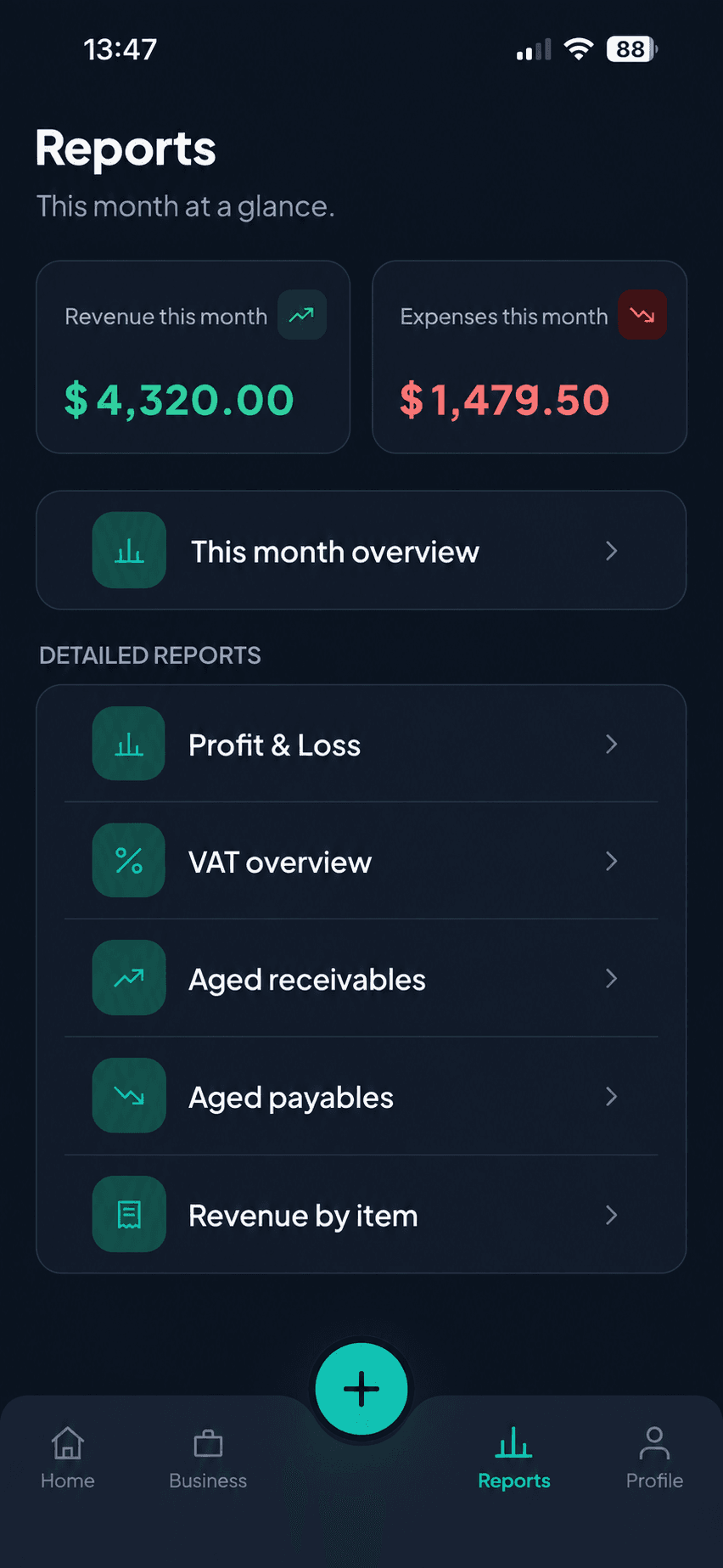
Profit & loss, VAT, aged receivables and payables — ready when you need them.
The app
Left-aligned numbers, one colour for money in, one for money out. No dashboards to configure.
How it works
No onboarding call, no accountant required.
Your name and currency to start. Company details, logo and tax rates whenever you like.
Pick a client, add lines or pull them from a timesheet, and send. It's tracked from there.
Every invoice, expense and payment rolls up into one net figure on the home screen.
Reports
Generated from what you've already entered — no spreadsheet export, no month-end scramble.
Profit & Loss
Revenue, costs and net for any month.
VAT overview
What you've charged and what you've paid, ready to file.
Aged receivables
Who owes you, and how long it's been.
Aged payables
What you owe, and when it's due.
Revenue by item
Which services actually bring the money in.
Why FiniPad
Spreadsheets don't chase an overdue invoice or add up your VAT while you're standing in a queue.
| FiniPad | A spreadsheet | |
|---|---|---|
| Adding an expense | Photo, amount, category — three taps. | Open the laptop, find the file, type a row. |
| Overdue invoices | Flagged on the home screen the day they slip. | You remember, or you don't. |
| VAT return | A report, already totalled. | An afternoon and a formula you half-trust. |
| Where you can work | On the phone in your pocket, wherever you are. | Wherever the file is. |
FAQ
Yes — you can create an account and use the core invoicing, expense and reporting features for free. A paid plan adds higher limits and team features; you'll only see it if you reach one.
No. FiniPad never links to your bank accounts — you add income and expenses yourself, so your banking details stay out of it entirely. You do need a connection to load and save your data; when you go offline, a banner tells you clearly so nothing fails silently.
Only you and anyone you invite to your workspace. We don't sell data, we don't run ads, and we don't share your figures with third parties except the processors needed to run the service (listed in our Privacy Policy).
Yes. You can export your invoices, expenses and transactions at any time. Your data is not locked in.
In the app: Profile → Account → Delete account. Or use the web form on our Delete account page. Deletion is permanent and removes your data from our systems.
English, Spanish, German, French, Turkish and Russian — in the app and on this site. The app follows your device language by default.
iPhone and Android phones. FiniPad is designed phone-first; a tablet layout comes later.
Download FiniPad, add your details, and send an invoice before your coffee goes cold.